Student Command Center
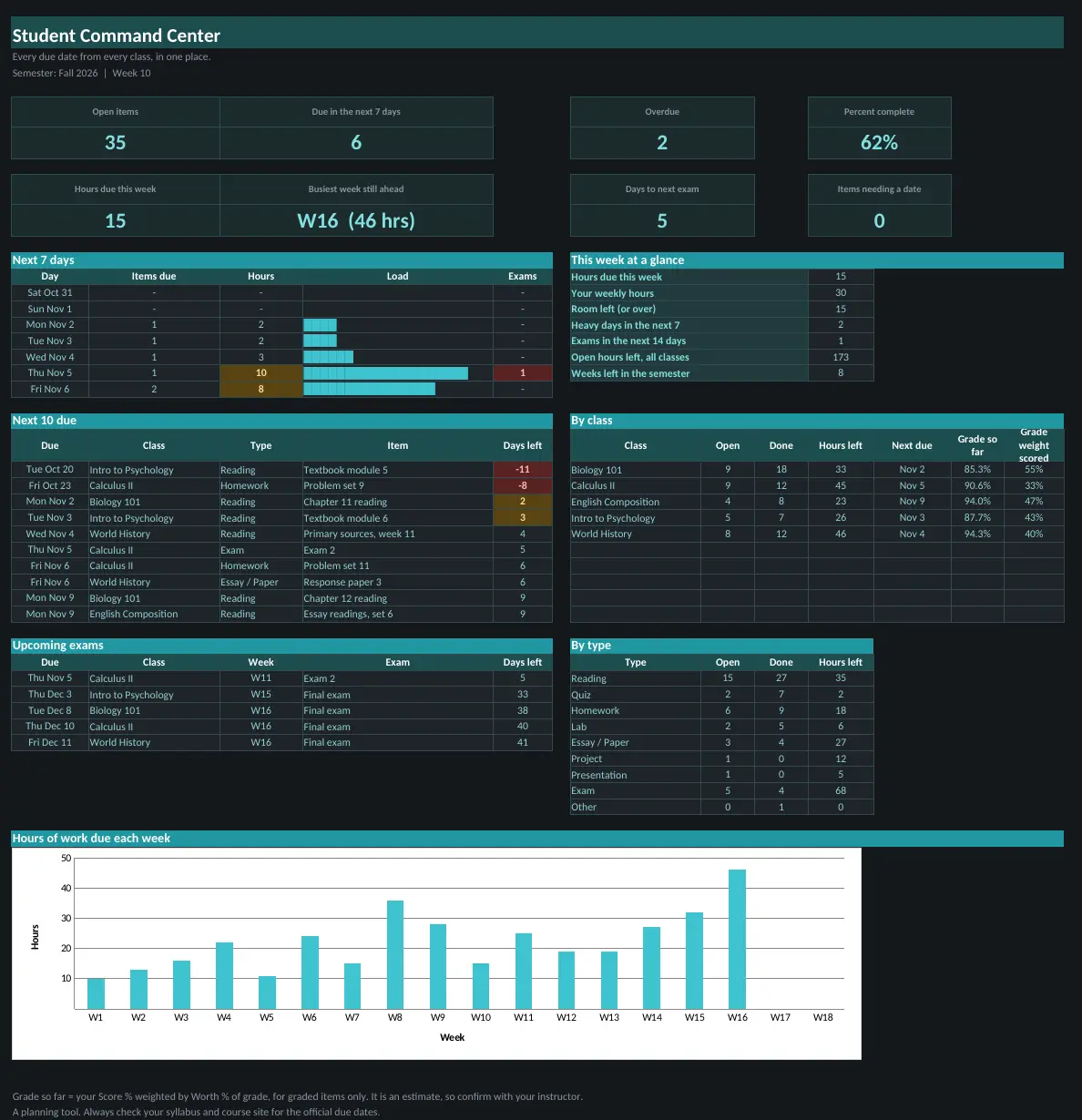
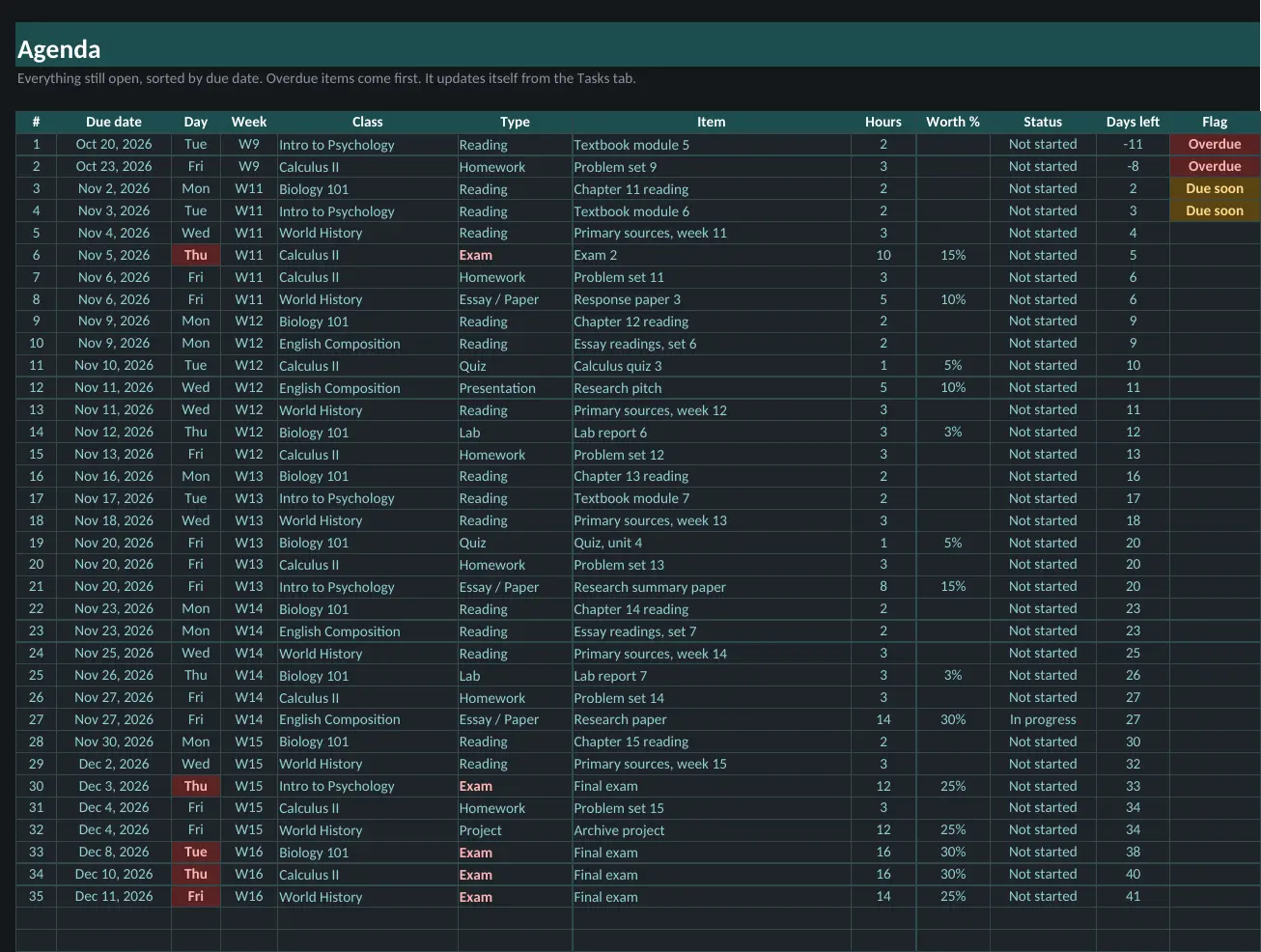
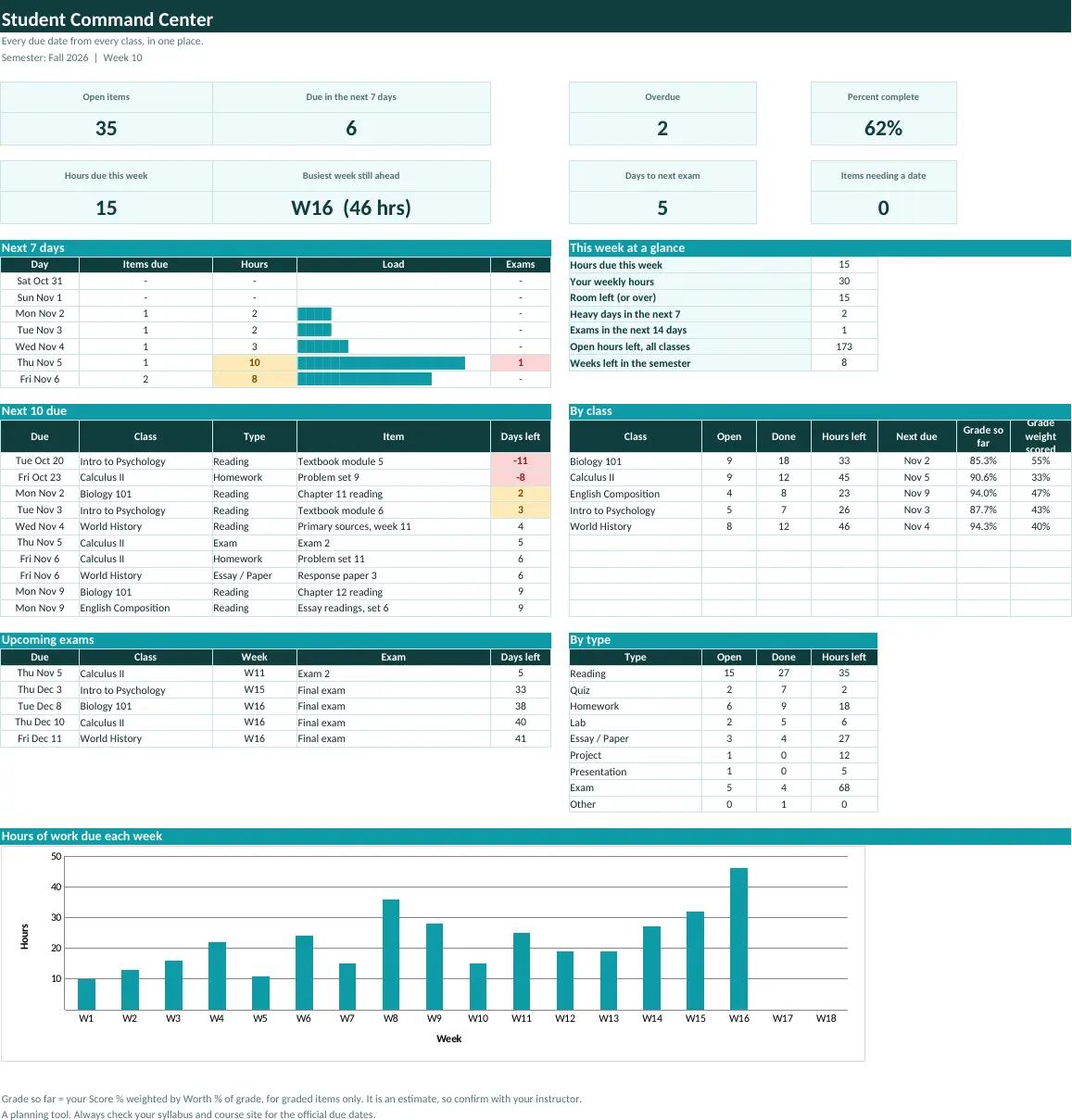
Every reading, lab, quiz, exam and essay from every class in one list sorted by due date, with a month calendar, a heat map of your busiest weeks and a grade so far for each class.
What is inside
- Every reading, lab, quiz, exam and essay in one list sorted by due date
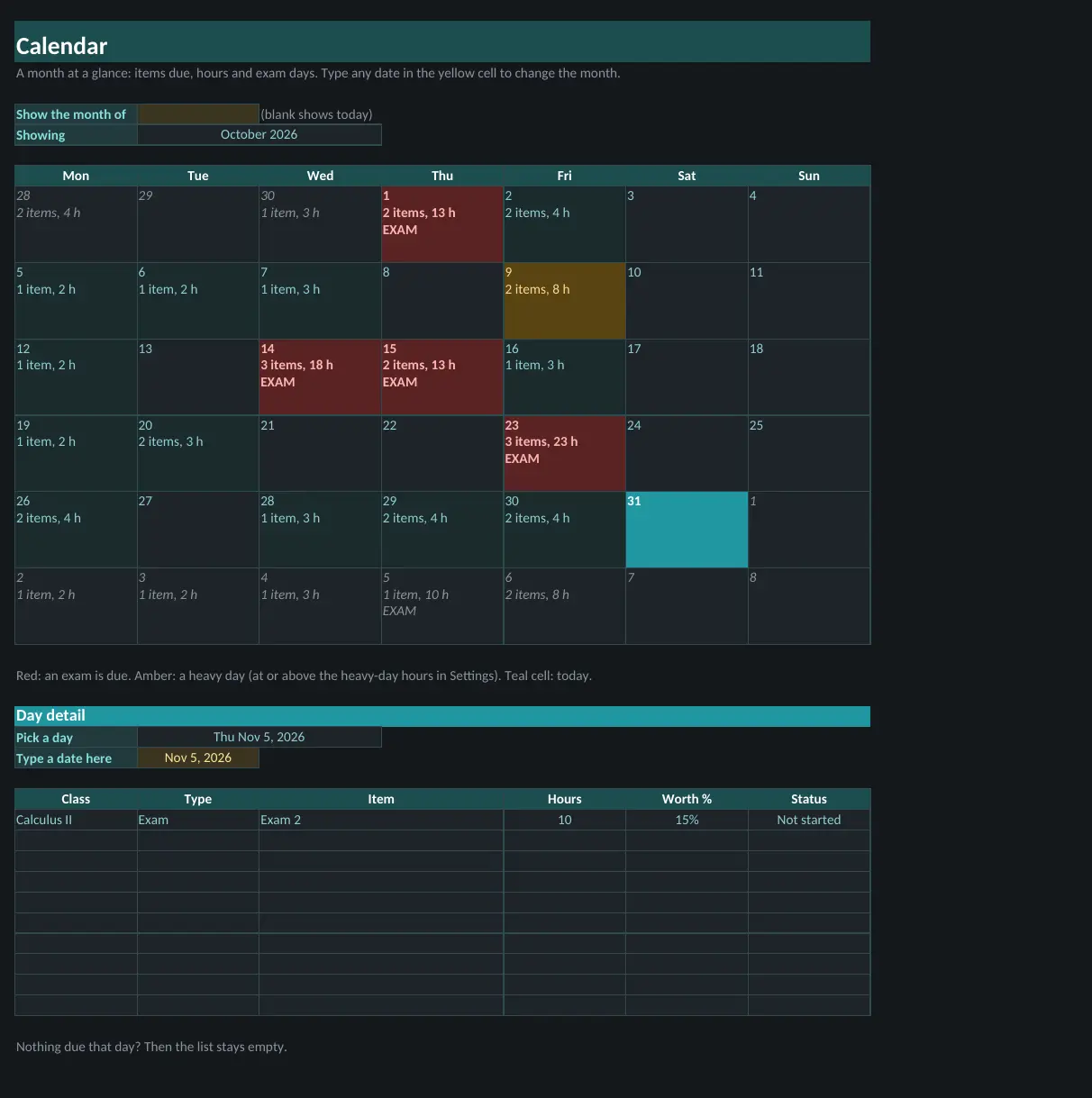
- Month calendar showing hours due and exam days
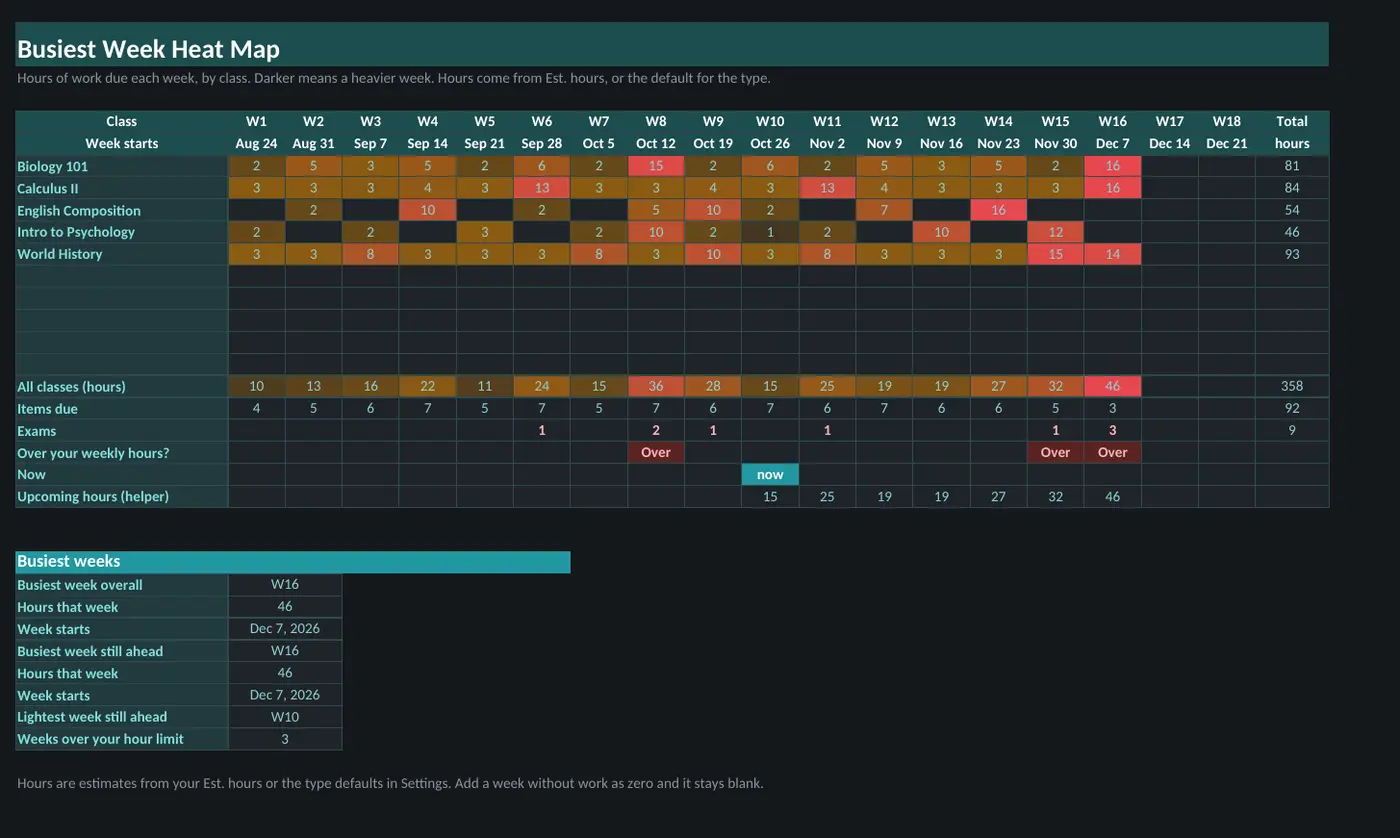
- Heat map of your busiest weeks against your weekly hour limit
- Grade so far and progress for each class
Sheets in the workbook
- Start Here
- Dashboard
- Agenda
- Calendar
- Heat Map
- Tasks
- Classes
- Settings
Who it is for
- Students juggling several classes who want every due date in one clean list instead of five course sites
- Anyone who wants to see which weeks will be heaviest before they arrive
- Students who want a month calendar, exams called out, hours due per day and a grade so far for each class
A look inside
Screenshots use the sample-filled copy. Your download also includes a blank copy.
A planning tool. It does not connect to Canvas or Blackboard, so you enter or paste your due dates once. Always check your syllabus for official dates. Uses MINIFS, so it needs Excel 2019 or newer, or Google Sheets.
Questions
What do I get?
An instant download with the workbook in light and dark versions, a sample-filled copy so you can see it working, and a how-to guide. You pay once and there is no subscription.
Which apps does it work in?
Every template works in both Microsoft Excel and Google Sheets. To use one in Google Sheets, upload the file to Google Drive and open it with Sheets.
How do I get the file?
Right after checkout you land on a download page, and the same link is emailed to you.
Can I get a refund?
Digital downloads are all sales final once delivered. If a file is broken or missing, email us and we will replace it. See the Refund Policy.