Gig Driver Profit and Tax Tracker
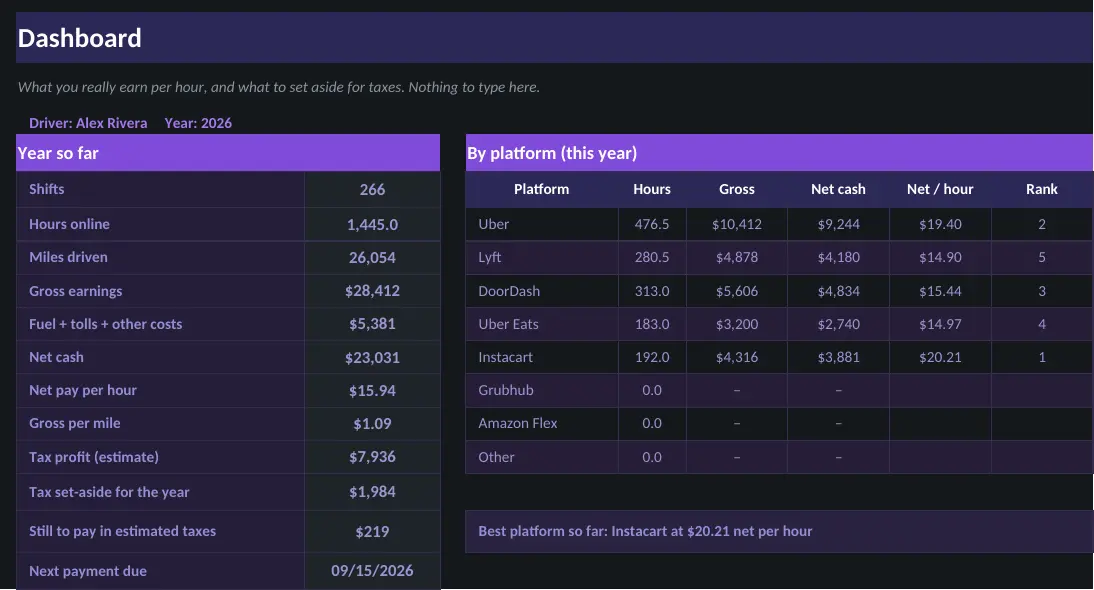
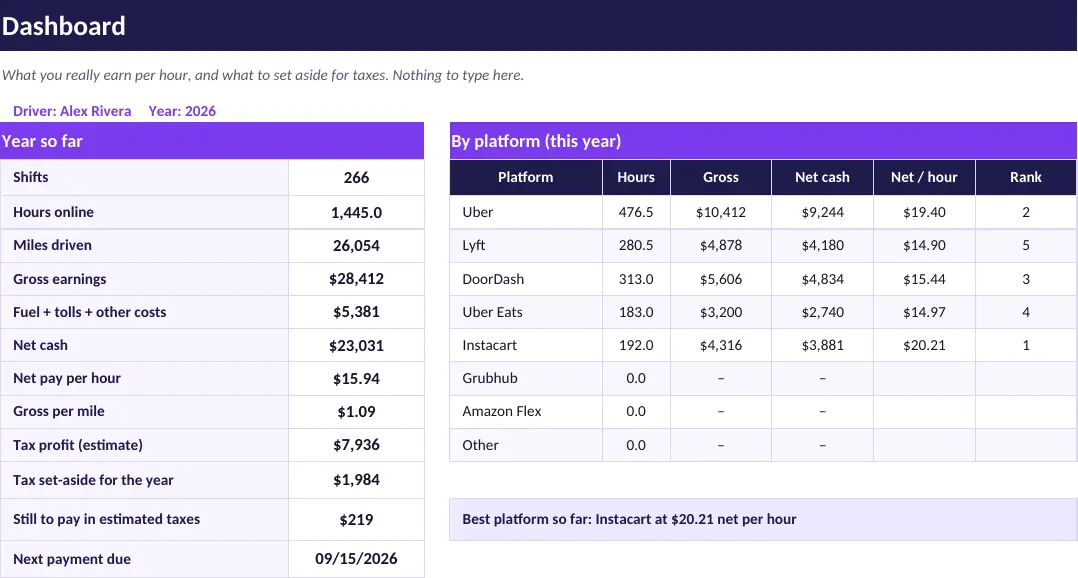
Know what you really earn per hour after fuel and costs, which app pays best, and how much to set aside for taxes.
What is inside
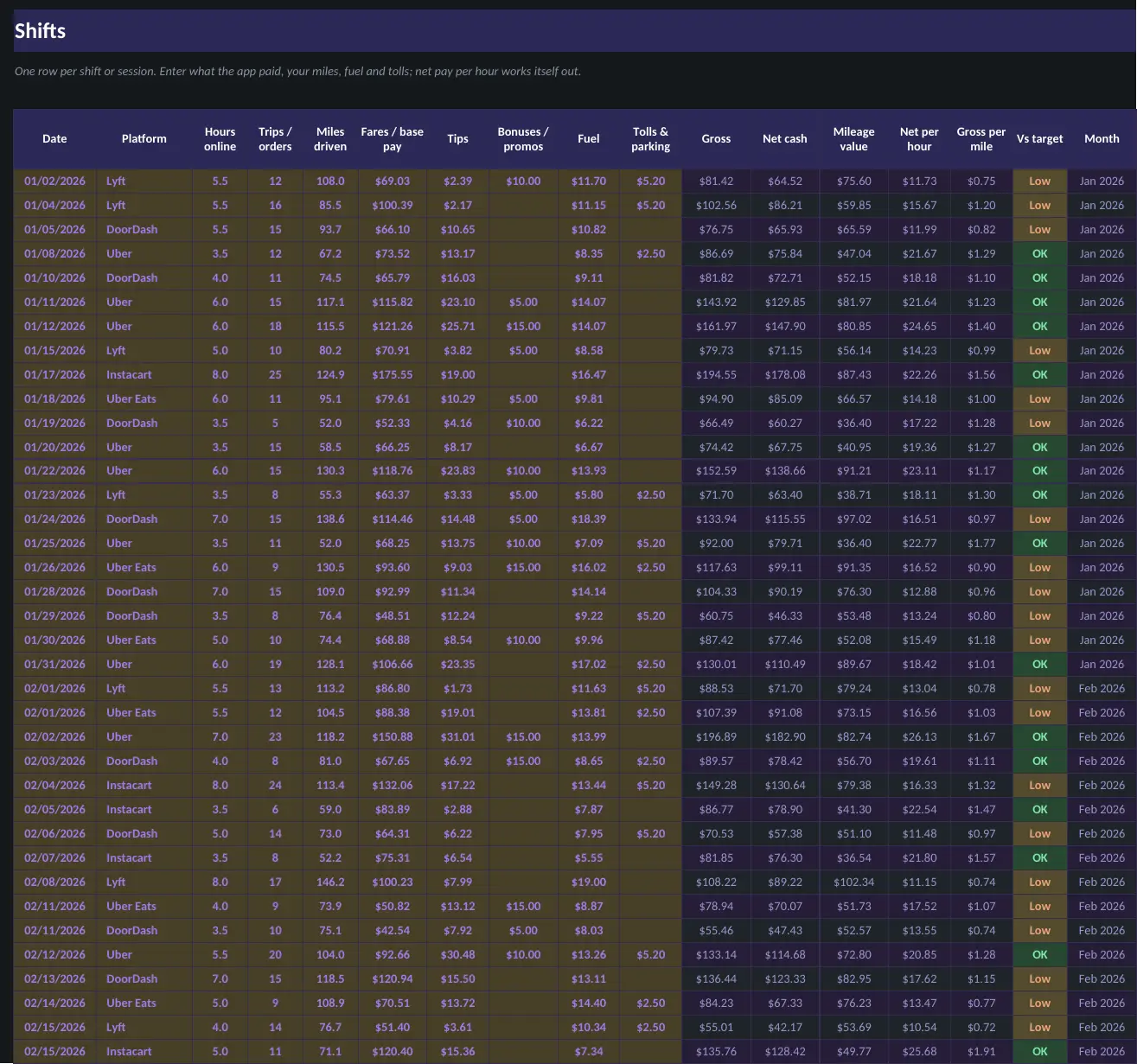
- Log shifts with earnings, miles and hours for each app
- Real hourly pay after fuel and expenses
- Compare which app pays best
- Quarterly tax set-aside estimate
Sheets in the workbook
- Start Here
- Dashboard
- Settings
- Shifts
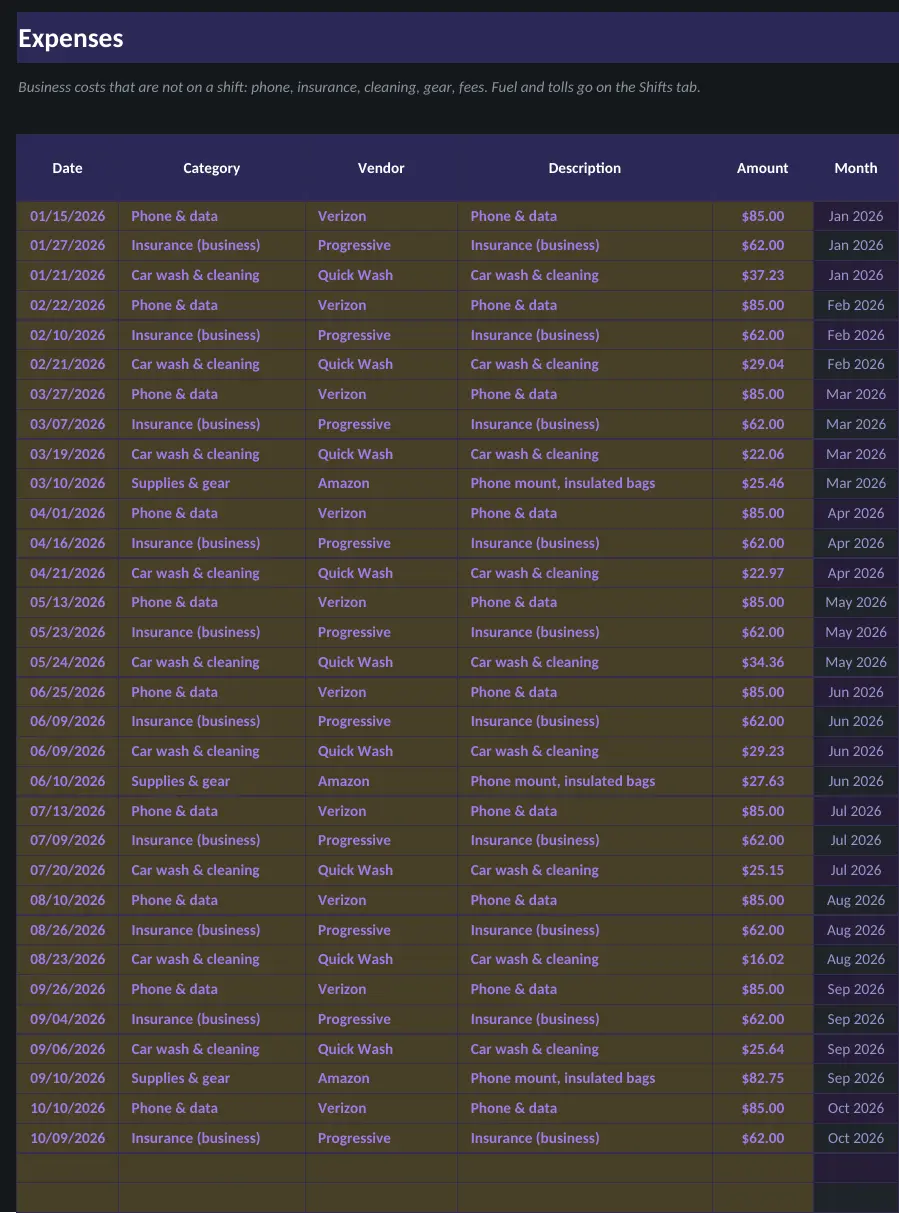
- Expenses
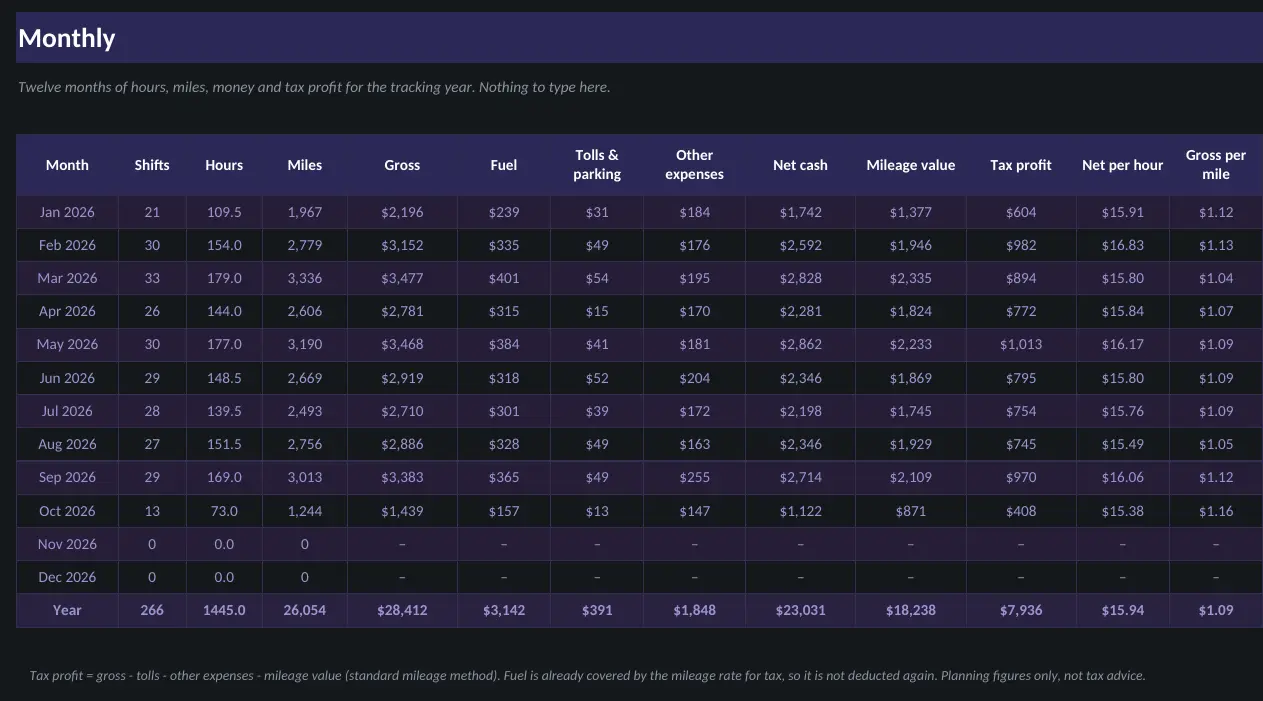
- Monthly
- Quarterly Taxes
Who it is for
- Rideshare, delivery and gig drivers
- Drivers who want hourly earnings after fuel and costs, by app
- Anyone setting money aside for their own self-employment taxes
A look inside
Screenshots use the sample-filled copy. Your download also includes a blank copy.
An estimating tool, not tax advice. Confirm your numbers with a tax professional.
Questions
What do I get?
An instant download with the workbook in light and dark versions, a sample-filled copy so you can see it working, and a how-to guide. You pay once and there is no subscription.
Which apps does it work in?
Every template works in both Microsoft Excel and Google Sheets. To use one in Google Sheets, upload the file to Google Drive and open it with Sheets.
How do I get the file?
Right after checkout you land on a download page, and the same link is emailed to you.
Can I get a refund?
Digital downloads are all sales final once delivered. If a file is broken or missing, email us and we will replace it. See the Refund Policy.