Social media5 tabs
Content Calendar and Social Analytics
Plan every post, track what happens after it goes live, and see which platforms and content types work best.
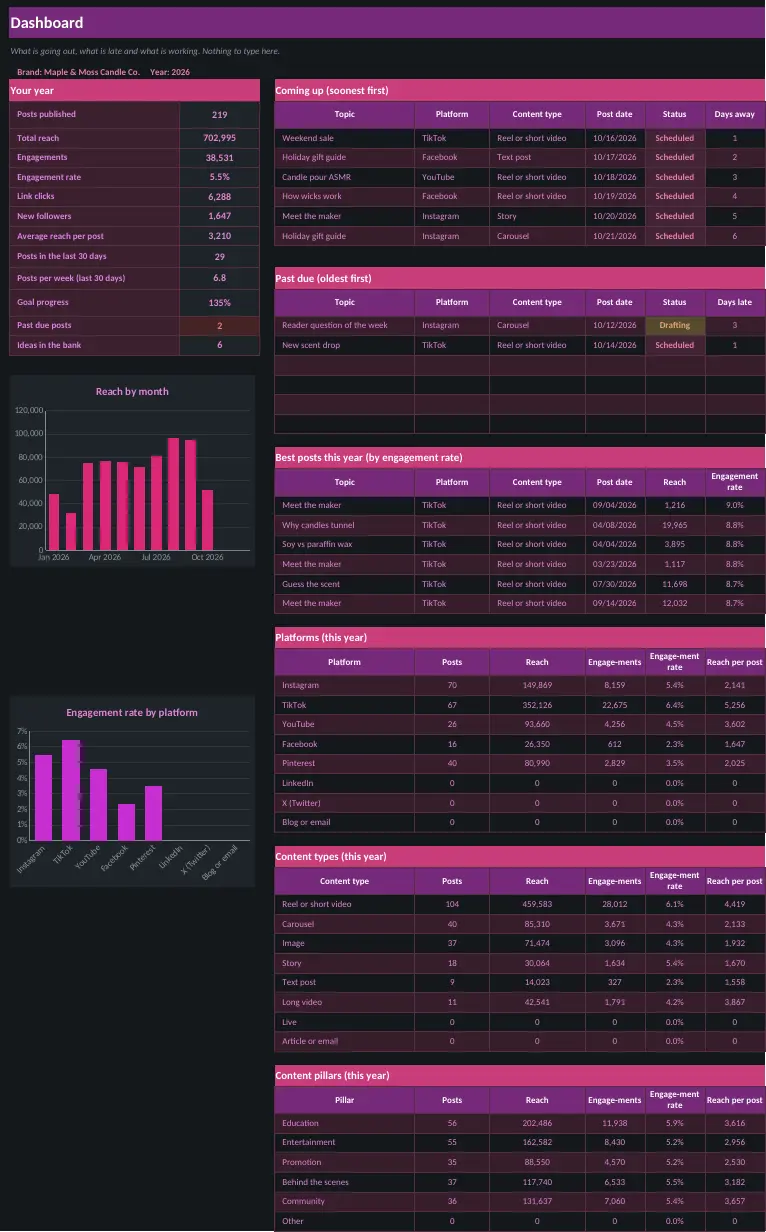
What is inside
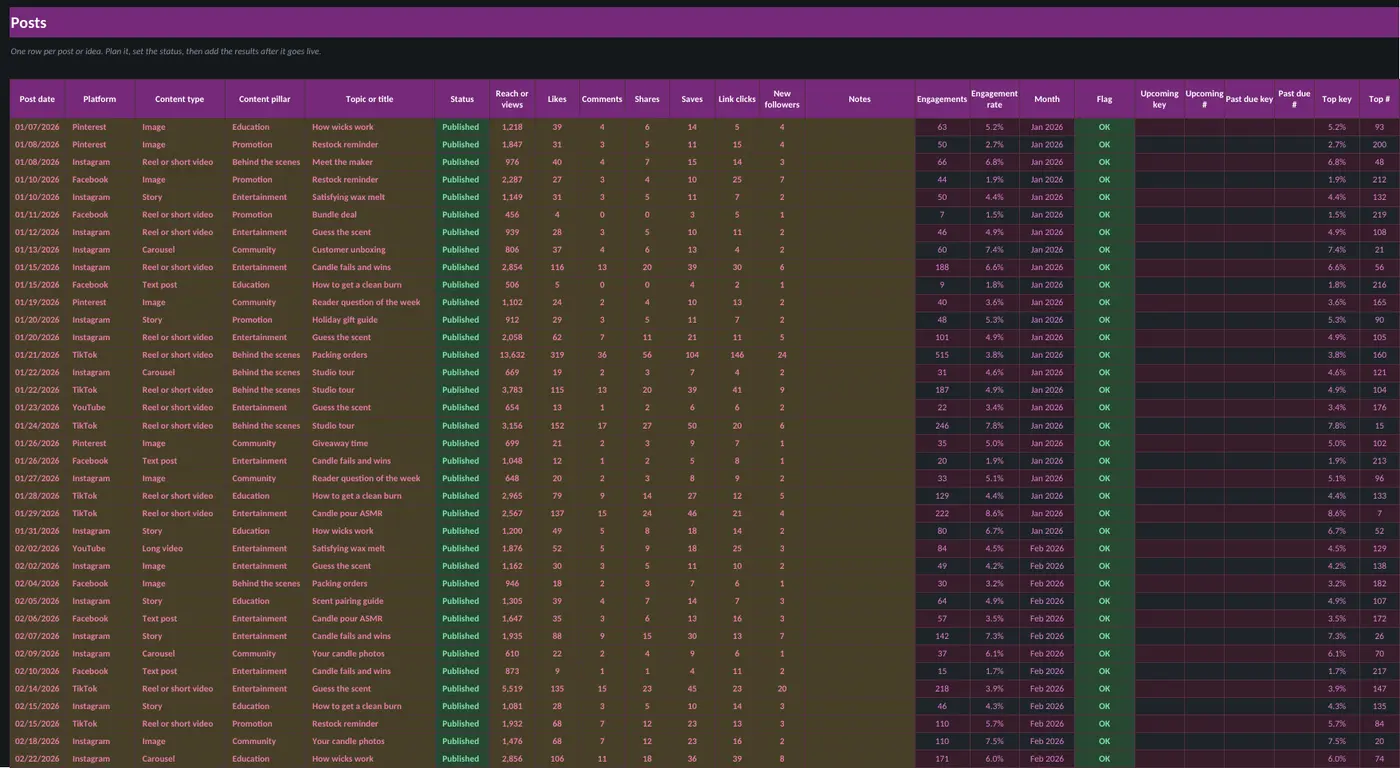
- Plan posts from idea to published
- Add reach, likes, comments, shares and clicks after posting
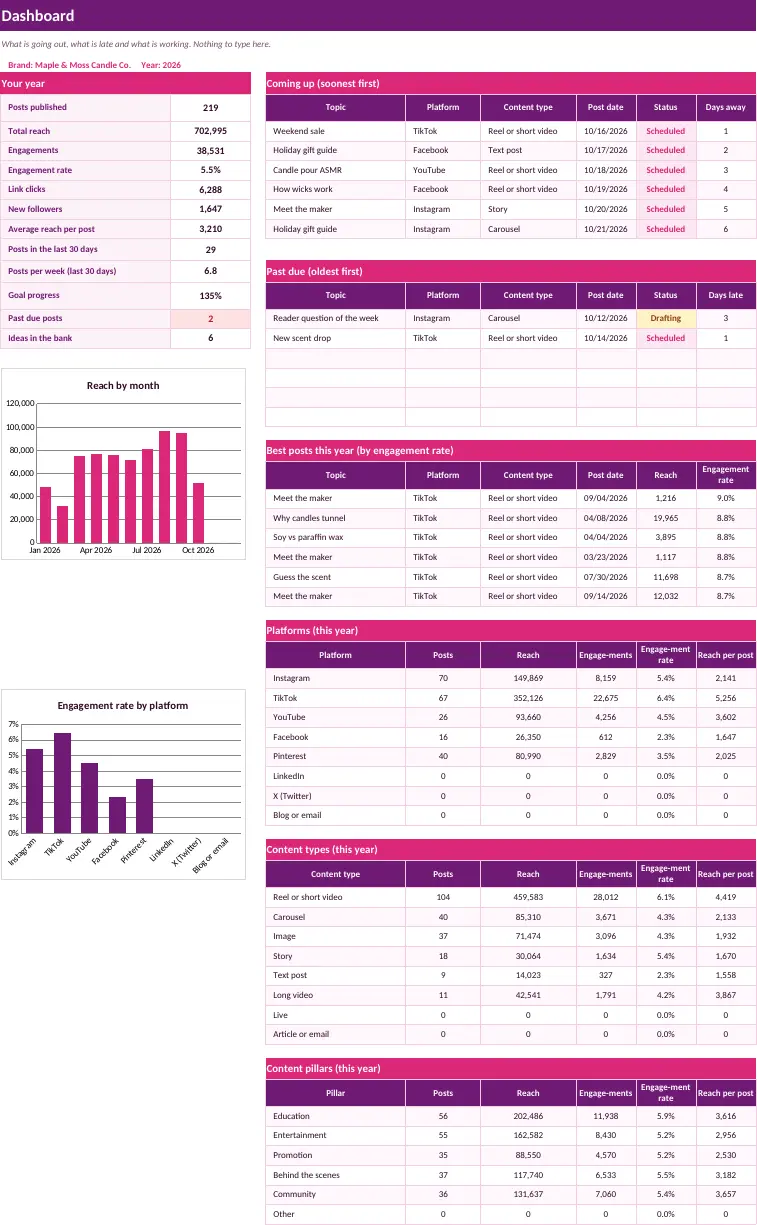
- Best platforms, content types and pillars
- Past due and coming up lists
Sheets in the workbook
- Start Here
- Dashboard
- Settings
- Posts
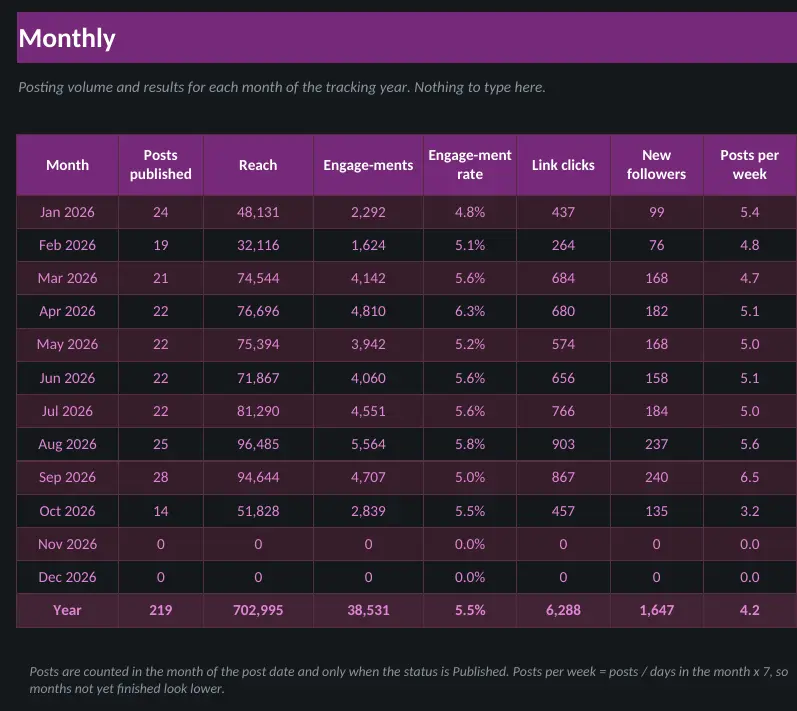
- Monthly
Who it is for
- Creators and small brands planning posts across several platforms
- Social media managers who track results after posts go live
- Anyone comparing which platforms and content types work best
A look inside
Screenshots use the sample-filled copy. Your download also includes a blank copy.
Questions
What do I get?
An instant download with the workbook in light and dark versions, a sample-filled copy so you can see it working, and a how-to guide. You pay once and there is no subscription.
Which apps does it work in?
Every template works in both Microsoft Excel and Google Sheets. To use one in Google Sheets, upload the file to Google Drive and open it with Sheets.
How do I get the file?
Right after checkout you land on a download page, and the same link is emailed to you.
Can I get a refund?
Digital downloads are all sales final once delivered. If a file is broken or missing, email us and we will replace it. See the Refund Policy.